
Claude Code is a powerful AI coding assistant that transforms your development workflow. When combined with OpenRouter, you unlock access to 300+ AI models from 60+ providers through a single, unified API. Is there a way to use Claude Code CLI while using all the models from OpenRouter instead of the default Claude Code Opus and Sonnet models? This comprehensive guide shows you how to configure Claude Code with OpenRouter. With this setup, you can use Claude Code CLI even without a Claude Code Pro or Max subscription.
Whether you're looking to avoid the Claude Pro subscription or simply want more flexibility in model selection, this step-by-step tutorial will have you up and running in minutes.
What is OpenRouter?
OpenRouter is a unified API gateway that provides access to over 500 AI models from 60+ providers including OpenAI, Anthropic, Google, Meta, Mistral, and many more through a single, standardized interface. Instead of managing multiple API keys, endpoints, and billing systems, OpenRouter consolidates everything into one platform.
Think of it as the "Stripe for AI models"—a single integration that gives you access to the entire AI model ecosystem with ~15ms of added latency.
Why Use Claude Code with OpenRouter? 6 Key Benefits
1. No Claude Pro Subscription Required
Skip the $20/month Claude Pro subscription. With OpenRouter, you pay only for actual API usage on a per-token basis, which can significantly reduce costs for many developers depending on usage patterns.
2. Free Models Available
OpenRouter provides access to free AI models that you can use without any cost. This is perfect for:
- Testing and experimentation
- Learning AI-assisted development
- Personal projects with limited budgets
- Prototyping before committing to paid models
Some models offer free tiers or are completely free to use. Check OpenRouter's model catalog and filter by free models.
3. Access to 300+ AI models
Switch between models from 60+ providers without changing your code:
- Anthropic: Claude Opus 4.5, Claude Sonnet 4.5, Claude Haiku 4.5, and older versions
- OpenAI: GPT-5.2, GPT-4, GPT-3.5 Turbo, and more
- Google: Gemini 3 Flash, Gemini 2.5 Flash, Gemma 3 (free now)
- Meta: Llama 4, Llama 3.1, Llama 3, Llama 2 variants
- Mistral: Mistral Devstral 2 (free now), Mistral Codestral, Misstral Large, Mistral Medium
- And hundreds more from other providers
4. Beyond Programming: Multi-Purpose AI Assistant
While Claude Code excels at coding, OpenRouter's diverse model selection lets you transform it into an assistant for various specialized domains. OpenRouter organizes models into categories including:
- Programming: Software development, code generation, and debugging
- Roleplay: Interactive storytelling and character-based conversations
- Marketing: Content marketing, copywriting, and campaign strategy
- SEO: Search engine optimization and content optimization
- Technology: Technical documentation and IT consulting
- Science: Research assistance and scientific analysis
- Translation: Multilingual translation and localization
- Legal: Legal document analysis and research
- Finance: Financial analysis and market research
- Health: Healthcare information and medical research
- Trivia: General knowledge and factual questions
- Academia: Academic research and scholarly writing
This means you can use one CLI tool (Claude Code) with specialized AI models optimized for your specific task, whether that's writing marketing copy, translating documentation, or analyzing legal documents—all without switching tools.
5. Cost Optimization
Choose models based on your task complexity and budget. OpenRouter offers various pricing tiers:
- Free models: Zero cost for testing and light usage
- Budget-friendly models: Great for simple tasks, documentation, quick questions
- Balanced models: Ideal for code review, refactoring, general development
- Premium models: Best for complex architecture, advanced reasoning
Visit OpenRouter's pricing page for current rates and model comparisons.
6. Built-in Fallback and Reliability
Configure automatic fallbacks when your primary model is unavailable or rate-limited. OpenRouter handles failover seamlessly.
Prerequisites: What You'll Need
Before configuring Claude Code with OpenRouter, ensure you have:
- Claude Code installed - Setup up guide
- OpenRouter account - Sign up free at openrouter.ai
- OpenRouter API key - Generated from your dashboard
- Router tool (choose based on your preferred method):
- Docker - For Method 1 (y-router) - Install Docker
- Node.js - For Method 2 (Claude Code Router) - Install Node.js
- None required - For Method 3 (Direct Proxy)
- Basic terminal knowledge - Comfort with command-line tools
The following are the step-by-step configuration guide.
Step 1: Install Claude Code
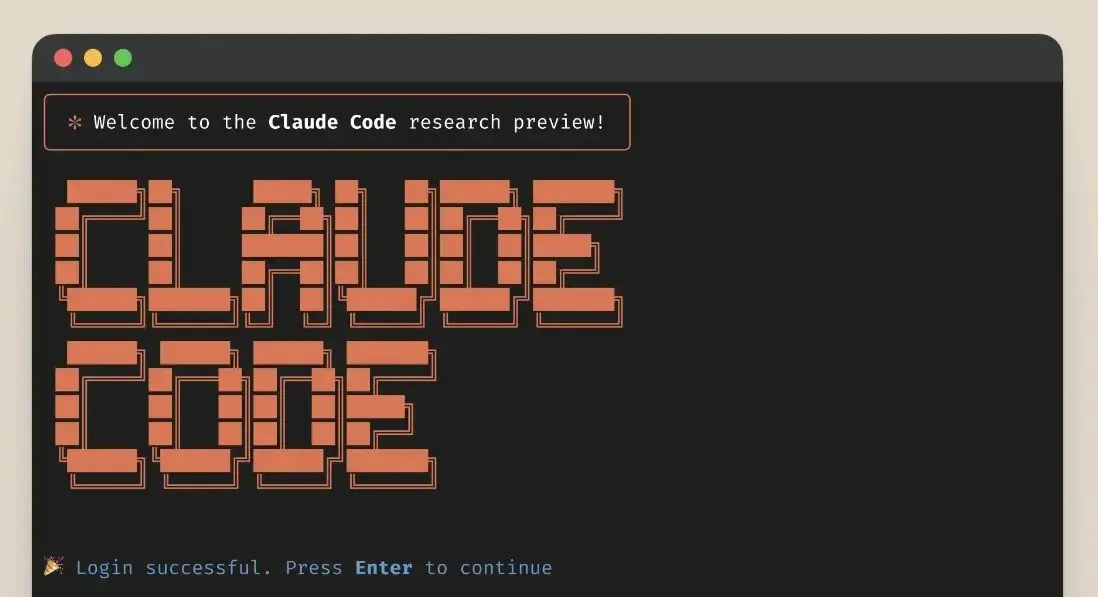
If you haven't installed Claude Code yet (full guide at code.claude.com/docs/en/setup):
# macOS and Linux
curl -fsSL https://claude.ai/install.sh | bash

# Or using Homebrew on macOS
brew install --cask claude-code
# Windows PowerShell
irm https://claude.ai/install.ps1 | iex
# Windows CMD
curl -fsSL https://claude.ai/install.cmd -o install.cmd && install.cmd && del install.cmdIf you run into setup issues, check the official Claude Code Setup Guide.
Step 2: Get Your OpenRouter API Key
- Visit openrouter.ai and create an account
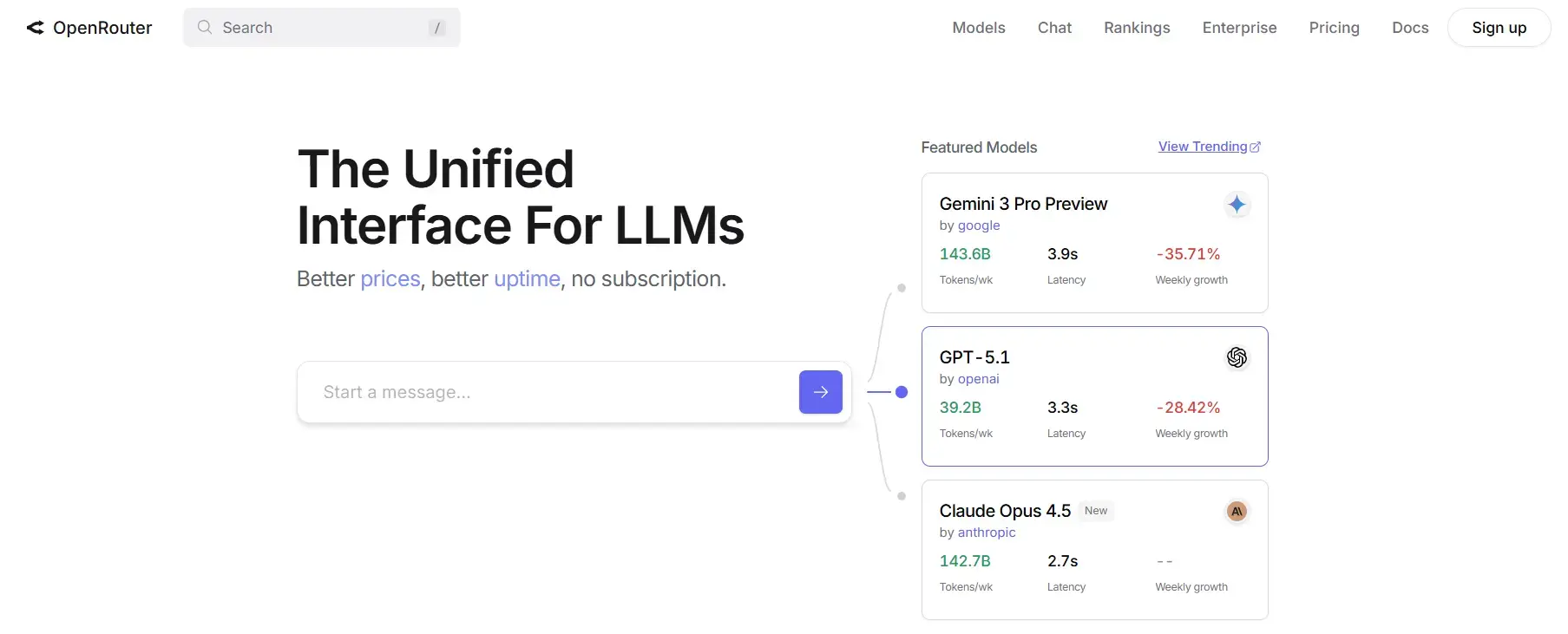
- Navigate to Keys in your dashboard
- Click Create Key and give it a descriptive name (e.g., "Claude Code Integration")
- Copy the API key immediately (it won't be shown again)
- Add at least $5 in credits to your account under Credits tab (you can use free models, but this is still required to prevent authentication error.)
Security tip: Never commit API keys to version control.
Step 3: Configure Claude Code with OpenRouter
There are three methods to configure Claude Code with OpenRouter. Choose the one that best fits your workflow:
Method 1: y-router (Simplest and Recommended)
y-router functions as a translator between Anthropic's expected API format and OpenRouter's OpenAI-style API. This method keeps routing local, simple, and under your control. This is ideal for developers who like privacy and minimal overhead.
Setup Steps:
- Deploy locally with Docker:
git clone https://github.com/luohy15/y-router.git
cd y-router
docker compose up -d
This launches a service on http://localhost:8787 by default.
- Configure environment variables:
export ANTHROPIC_BASE_URL="http://localhost:8787"
export ANTHROPIC_AUTH_TOKEN="sk-or-<your-openrouter-api-key>"

# For a fast, lightweight model, free now.
export ANTHROPIC_MODEL="z-ai/glm-4.5-air"

# Or use other models from OpenRouter
# export ANTHROPIC_MODEL="anthropic/claude-sonnet-4.5"
# export ANTHROPIC_MODEL="openai/gpt-5.2"
Make it permanent by adding to your shell configuration:
# For Zsh (macOS default)
echo 'export ANTHROPIC_BASE_URL="http://localhost:8787"' >> ~/.zshrc
echo 'export ANTHROPIC_AUTH_TOKEN="sk-or-<your-api-key>"' >> ~/.zshrc
echo 'export ANTHROPIC_MODEL="z-ai/glm-4.5-air"' >> ~/.zshrc
source ~/.zshrc

# For Bash (Linux default)
echo 'export ANTHROPIC_BASE_URL="http://localhost:8787"' >> ~/.bashrc
echo 'export ANTHROPIC_AUTH_TOKEN="sk-or-<your-api-key>"' >> ~/.bashrc
echo 'export ANTHROPIC_MODEL="z-ai/glm-4.5-air"' >> ~/.bashrc
source ~/.bashrc- Launch Claude Code:
claudeKey Advantage: Local routing means your API calls stay on your machine before going to OpenRouter, providing better privacy and control.
Method 2: Claude Code Router (npm-based, Feature-Rich)
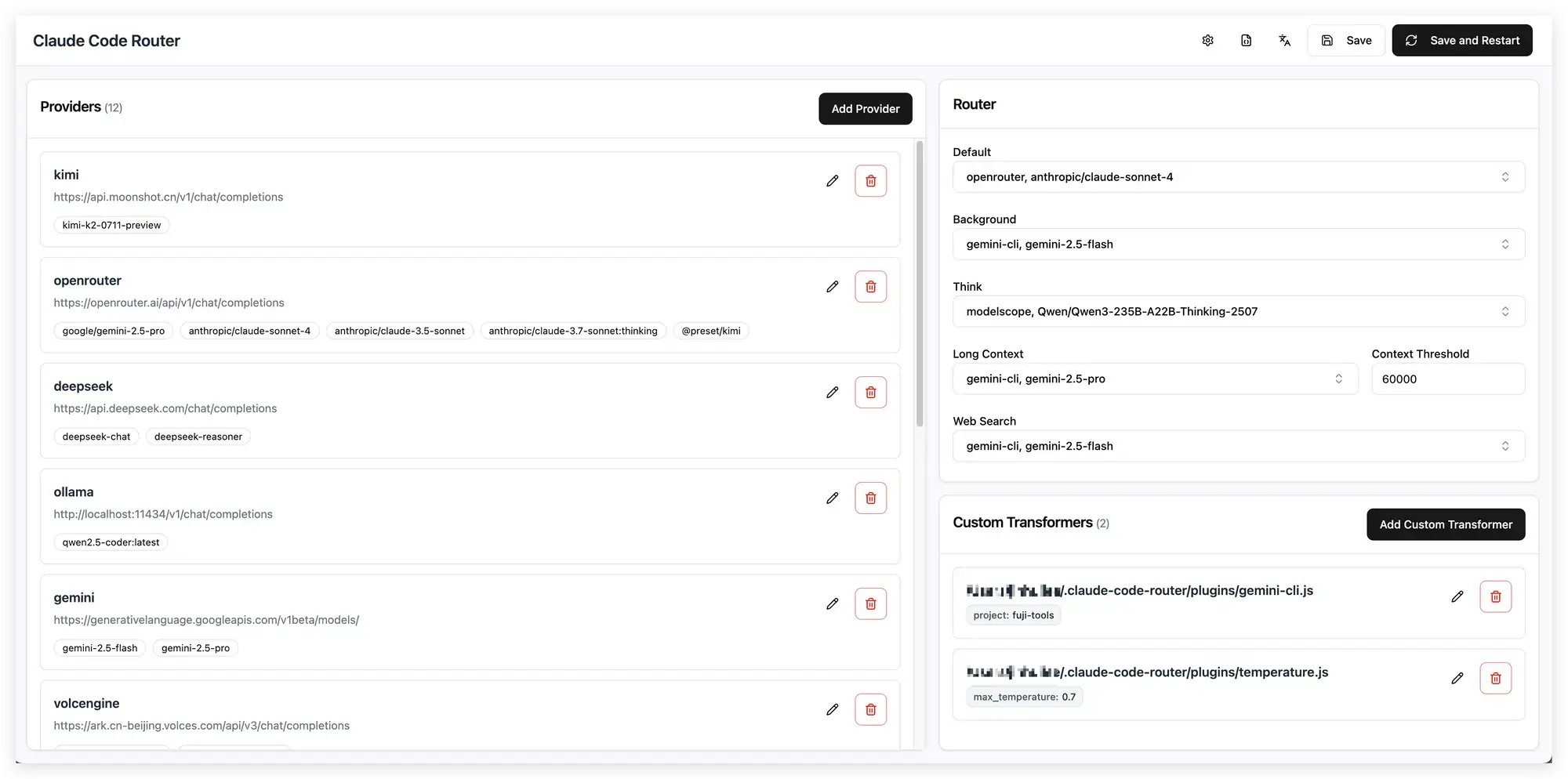
Claude Code Router is a middleware layer that intercepts and routes Claude Code requests to different AI models and providers. It supports OpenRouter, DeepSeek, Ollama, Gemini, Volcengine, SiliconFlow, and more. With built-in request/response transformation, dynamic model switching via /model command, and an interactive CLI for easy configuration, it's perfect for developers who want maximum flexibility and control.
Setup Steps:
- Install globally:
npm install -g @musistudio/claude-code-router- Create configuration file at
~/.claude-code-router/config.json.
The following is an example for configuration. Please refer to its Github repo for comprehensive guide on the configuration file.
{
  "APIKEY": "your-secret-key",
  "PROXY_URL": "http://127.0.0.1:7890",
  "LOG": true,
  "API_TIMEOUT_MS": 600000,
  "NON_INTERACTIVE_MODE": false,
  "Providers": [
    {
      "name": "openrouter",
      "api_base_url": "https://openrouter.ai/api/v1/chat/completions",
      "api_key": "sk-xxx",
      "models": [
        "google/gemini-2.5-pro-preview",
        "anthropic/claude-sonnet-4",
        "anthropic/claude-3.5-sonnet",
        "anthropic/claude-3.7-sonnet:thinking"
      ],
      "transformer": {
        "use": ["openrouter"]
      }
    }
  ],
  "Router": {
    "default": "openrouter,anthropic/claude-sonnet-4",
    "longContextThreshold": 60000,
  }
}- Start the router:
ccr startYou can also view and edit the config.json to manage the models in web ui with ccr ui.
- Configure Claude Code to use the router:
After running Claude Code Router with with step 3, you can then activate Claude Code to use the router by default with the following activate command:
eval "$(ccr activate)"It sets the environment variables like ANTHROPIC_BASE_URL and ANTHROPIC_AUTH_TOKEN automatically.
Then use claude normally. You can switch models on-the-fly using the /model command within Claude Code.
Key Advantages:
- Dynamic Model Switching: Change models mid-conversation with
/modelcommand - Multi-Provider Support: Route requests to OpenRouter, DeepSeek, Ollama, Gemini, and more from one interface
- Request/Response Transformation: Built-in transformers ensure compatibility across different provider APIs
- Interactive Configuration: Use the interactive CLI to set up providers without manual JSON editing
- Custom Routing Logic: Implement JavaScript plugins for advanced routing based on task type, context length, or other criteria
Method 3: Direct OpenRouter Proxy (Minimal Setup)
This is the quickest method for testing, though it may lack some robustness for streaming, tool-calling, or long-term sessions depending on the proxy implementation.
Basic Configuration:
export ANTHROPIC_BASE_URL="https://openrouter.ai/api/v1"
export ANTHROPIC_AUTH_TOKEN="sk-or-<your-openrouter-api-key>"
export ANTHROPIC_MODEL="anthropic/claude-3.5-sonnet"
Important Note: This approach is useful for ephemeral tests or quick experiments. For production use or advanced features, consider Method 1 (y-router) or Method 2 (Claude Code Router).
Bonus: Access from Any Device with Vicoa
After setting up claude to run with OpenRouter with any of above methods, use Vicoa (Vibe Code Anywhere) to access your development environment from any device.
Instead of running claude, run vicoa to start Claude Code with OpenRouter models and code from your phone, tablet, or any browser. Vicoa lets you continue your work seamlessly across devices. Start coding on your laptop, debug on your tablet, or review code from your phone.
# After y-router setup, use vicoa instead of claude
vicoa
Get started with Vicoa for free →
Step 4: Choose Your AI Model
OpenRouter gives you access to 300+ models. Here are popular models for coding tasks:
Recommended Models
Here are popular models:
# For Latest Claude Sonnet 4.5
export ANTHROPIC_MODEL="anthropic/claude-sonnet-4.5"

# For Latest Claude Opus 4.5
export ANTHROPIC_MODEL="anthropic/claude-opus-4.5"

# For OpenAI GPT-5.2 (latest OpenAI model)
export ANTHROPIC_MODEL="openai/gpt-5.2"


# For OpenAI GPT-4 (alternative provider for comparison)
export ANTHROPIC_MODEL="openai/gpt-4-turbo"

# For Google Gemini 2.5 Flash
export ANTHROPIC_MODEL="google/gemini-2.5-flash"


# For Free Lightweight Model (great for testing without cost)
export ANTHROPIC_MODEL="z-ai/glm-4.5-air"
Browse all models: Visit openrouter.ai/models to compare 500+ options by cost, speed, and capabilities. Pricing varies by model—check the current rates before use.
Best Practices for Claude Code + OpenRouter
1. Choose the Right Model for Each Task
Not all models support advanced features like tool calls or long-context windows. Use lighter models for simple tasks and more capable ones for complex work to optimize both quality and cost.
Task-based model selection:
- Simple tasks (code completion, syntax fixes): Use lightweight models like Claude Haiku or free models
- Medium complexity (code review, refactoring): Use balanced models like Claude Sonnet
- Complex work (architecture design, advanced debugging): Use premium models like Claude Opus
Check OpenRouter's pricing page for current model capabilities and costs.
2. Secure Your API Keys
Treat your OpenRouter API key like a secret. Never expose it client-side or commit it to version control:
# Add to .gitignore
echo ".env" >> .gitignore
echo ".env.local" >> .gitignore

# Use environment variables only
# ✅ Good: export ANTHROPIC_AUTH_TOKEN="sk-or-v1-..."
# ❌ Bad: Hardcoding in scripts or committing to git
3. Monitor Token Usage and Costs
Keep track of your usage to balance performance with expenses:
- Monitor token usage in the OpenRouter dashboard
- Use task-based model selection to avoid overpaying for simple tasks
- Set up spending alerts in OpenRouter to avoid unexpected costs
4. Configure Fallback Routing for Reliability
In multi-model setups (using OpenRouter or Claude Code Router), configure fallback options so if one model is unavailable, the router can switch to another automatically.
Frequently Asked Questions
Q: Do I need a Claude Pro or Claude Code subscription to use this setup?
A: No! Claude Code CLI is free. By connecting it to OpenRouter, you skip Anthropic's subscription entirely. You only pay OpenRouter for what you use.
Q: Can I use Claude Code with OpenRouter for free?
A: Yes! OpenRouter has free models, but you need to add credits ($5 minimum now) to activate your account (even for free models). Paid models charge per token with no subscription—often cheaper than Claude Pro.
Q: Does OpenRouter support all Claude models?
A: Yes! All public Claude models (4.5 Opus, 4.5 Sonnet, 3.5 Sonnet, etc.) plus 300+ models from OpenAI, Google, Meta, Mistral, and more.
Q: Can I switch between models mid-conversation?
A: Yes, but context may not transfer perfectly between different providers. Best to use the same model for a complete conversation.
Q: What happens if my primary model is unavailable?
A: If you configured fallback models, OpenRouter automatically switches to your default model.
Q: Is OpenRouter slower than direct API access?
A: It adds ~15ms latency. For coding tasks, that's negligible compared to the benefits of accessing 300+ models.
Conclusion
That's it! You now know how to use Claude Code with 300+ AI models without paying for Claude Pro or Max. You keep the same claude command, but can now switch between models from dozens of providers.
We covered three setup methods: y-router for local Docker routing, Claude Code Router for advanced features and fallbacks, or Direct Proxy for quick testing. Pick what fits your workflow. Start with free models, then switch to premium ones like Claude Sonnet 4.5 or GPT-5.2 by changing one line when needed.
Ready to start? Grab an OpenRouter API key, pick your method, and run your first command. Want to code from your phone or tablet? Run vicoa instead of claude to access everything from any device—try Vicoa free.
Next Steps
- Set up your environment using Method 1 (y-router with Docker), Method 2 (Claude Code Router with npm), or Method 3 (Direct Proxy)
- Start with free or budget-friendly models to understand your usage patterns
- Monitor costs daily using OpenRouter dashboard
- Experiment with different models
- Try Vicoa for cross-device coding - Run
vicoainstead ofclaudeto access your development environment from any device (Get started free) - Share your learnings with your team and community
Additional Resources
- Vibe Code Anywhere - Vicoa
- Claude Code Documentation
- OpenRouter API Documentation
- OpenRouter Model Catalog
Found this guide helpful? Share it with your team and join our community Discord for more AI development tips, tutorials, and support.
Related Posts

How to Use Claude Code with Kimi K2 Model
Learn how to configure Claude Code with Moonshot AI's Kimi K2 model for free. Get 200K+ token context, multilingual support, and powerful coding capabilities without Claude Pro subscription.
 NT
NT
View Localhost on Mobile: 5 Methods to Test Your Site on Phone
Learn how to view localhost on mobile with 5 proven methods. Step-by-step guides for same-network testing, ngrok, Tailscale, and cloud dev environments. Test your site in minutes.
NT